
TABLE OF CONTENTS
- Overview
- Known Cause
- Determine Your Object Storage Address
- Required Network Exception
- Retest the Upload
- If the Error Continues
Overview
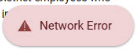
When attempting to upload a file in Guardian, users may receive a red Network Error message. This may affect uploads in several areas, including:
Supporting documentation on an incident report
Files attached to a case
Email attachments
Other file-upload controls within Guardian
Known Cause
Guardian uploads attachments through a separate, tenant-specific Object Storage address hosted by Linode. In reported cases, an institutions firewall, content filter, proxy, or SSL-inspection service blocked or redirected this address.
The Guardian platform itself may remain accessible while attachment uploads fail because the platform and its attachment storage use different addresses.
Each Guardian environment has its own Object Storage address. If an institution uses multiple Guardian platforms, an exception applied to one environment may not apply to the others.
Determine Your Object Storage Address
Locate the subdomain at the beginning of your Guardian platform URL.
For example, if your Guardian platform URL is: https://example.guardianconduct.com
Your Guardian subdomain is: example
The corresponding Object Storage address is: https://example-gc.us-east-1.linodeobjects.com/
Replace example with your institutions Guardian subdomain.
Required Network Exception
Please ask your IT or network team to:
Allow the tenant-specific Object Storage hostname through applicable firewall, content-filtering, proxy, and security rules.
Exclude the specific hostname from SSL-inspection or redirect rules that may interfere with file uploads.
Confirm that requests to the hostname are not redirected to an institutional block, warning, authentication, or filtering page.
Retest the Upload
After the exception has been applied:
Open a new browser session. A device restart may also be necessary for updated filtering policies to take effect.
Return to Guardian.
Retry the attachment upload.
Confirm that the file uploads without displaying the Network Error message.
If the Error Continues
If attachment uploads continue to produce a Network Error after the exception has been applied, please contact Guardian Support and provide:
Your Guardian platform URL
The approximate date and time of a failed attempt
The file type and approximate file size
Confirmation that the tenant-specific Object Storage hostname was allowed
A screenshot of what appears when the Object Storage address is opened from the affected network
Our team will use this information to continue investigating the upload request.