
TABLE OF CONTENTS
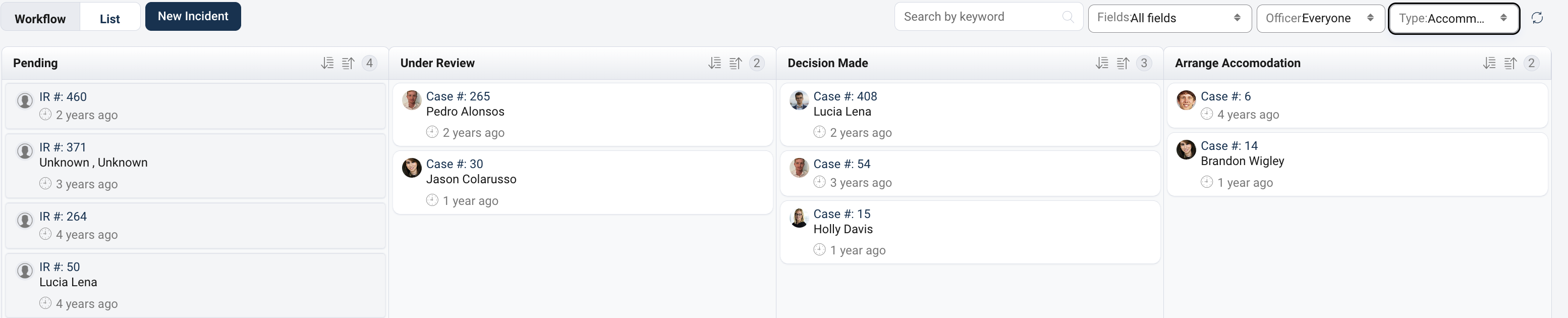
Guardian can display the names of selected involved parties alongside a case on the workflow screen. The names that appear are determined by the Workflow Role configuration for each incident type.
Configure the Workflow Role
- Navigate to Configurations.
- Remain on the Incident Types tab.
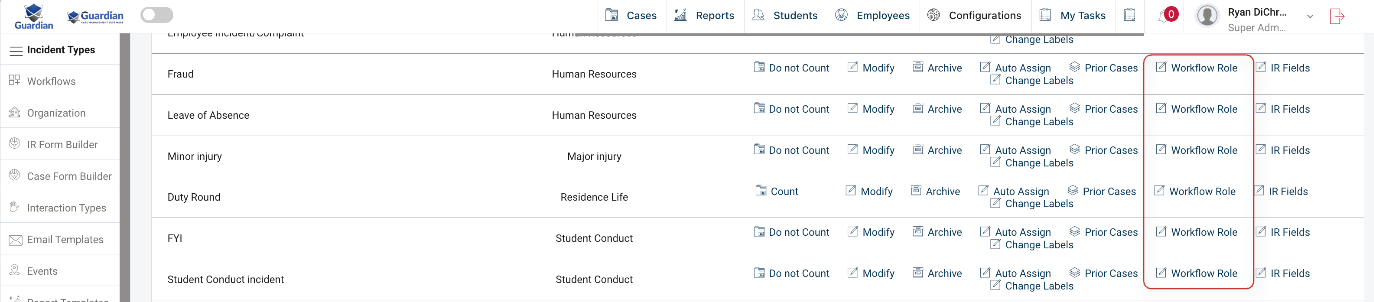
- Locate the incident type you want to configure.
- Under the Actions column, select Workflow Role.
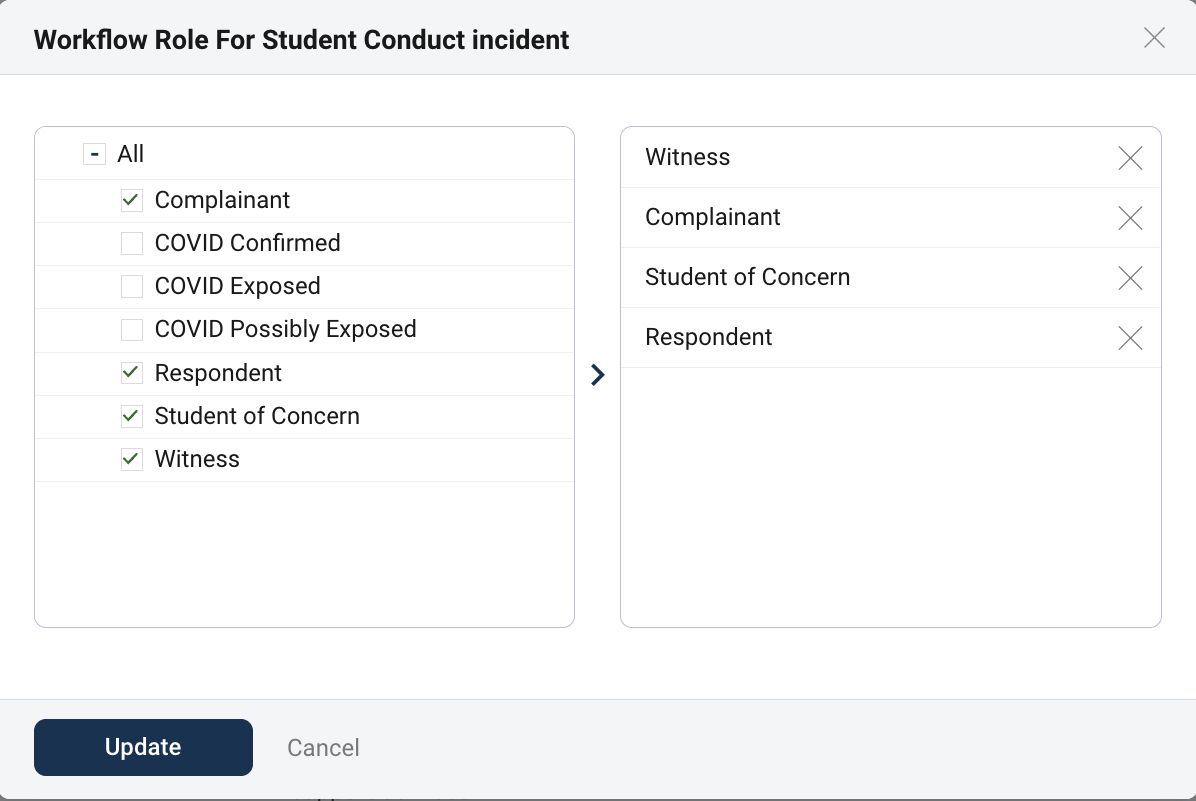
- Select the involved-party roles whose names should appear. This is based on your configured Incident Roles available for that Incident Type, such as:
- Complainant
- Respondent
- Student of Concern
- Witness
- Confirm that the selected roles appear in the list on the right.
- Select Update to save the configuration.
How Workflow Role Works
After a role has been selected, the name of anyone added to a case as an involved party with that role will appear on the workflow screen.
For example, if Complainant and Respondent are selected as workflow roles, the workflow screen will display the names of individuals who were added as Involved Parties on the case with those roles. If no involved party has been added under one of the selected roles, there will not be a name available to display.
Adding a New Incident Role
If the role you want to display is not currently available, a Guardian administrator can create an additional incident role:
- Navigate to Configurations.
- Select the Incident Roles tab.
- Select Add Incident Role in the upper-right corner.
- Enter the desired incident-role title.
- Select each incident type for which the role should be available.
- Select Submit to create the role.
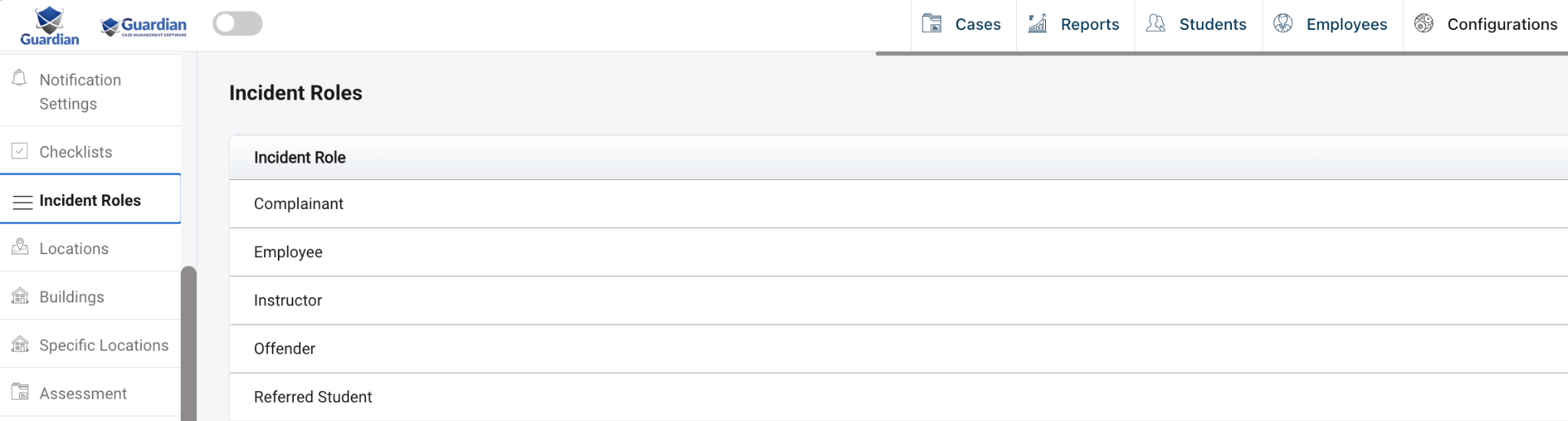
Once the incident role has been created, return to Configurations → Incident Types and open the Workflow Role action for the applicable incident type. The newly created role will then be available for selection.
Important Notes
- Workflow roles are configured separately for each incident type.
- Selecting a workflow role does not automatically assign that role to anyone.
- The individual must be added to the case as an involved party with the applicable role before their name can appear.