
Note: Only Super Admins have the ability to modify user email addresses.
1. Log in to the platform as a super admin.
2. Click either the “Students” or “Employees” tab, depending on whose profile you’re updating.
3. In the Students/Employees tab, click on the user’s ID number or the “eye” icon under Actions to open their profile.

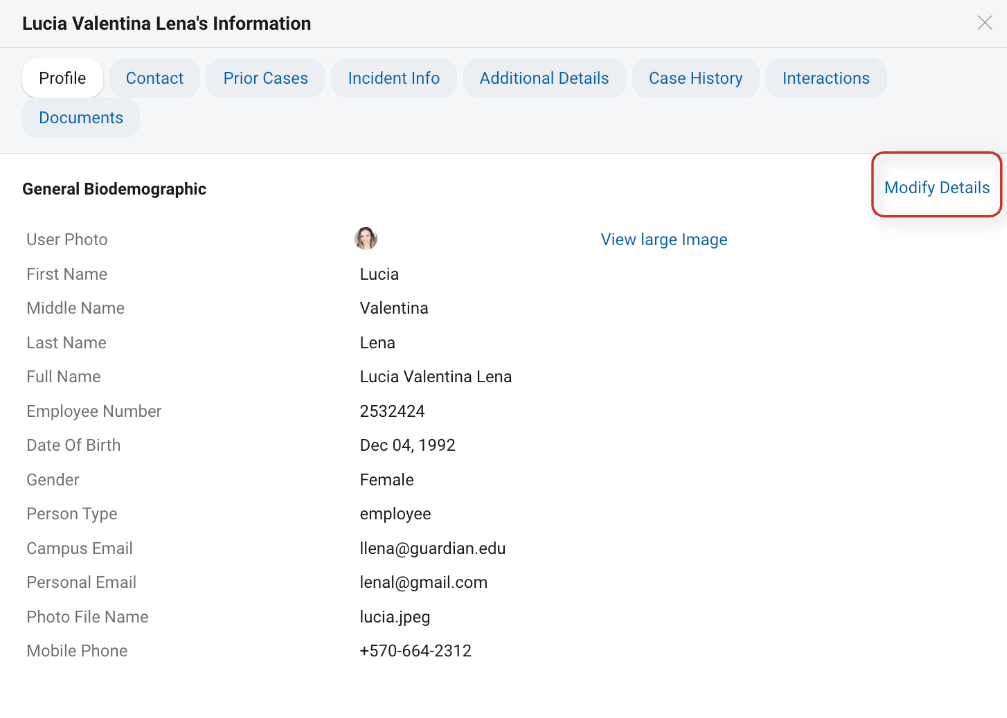
4. In the profile pop-up, stay in the “Profile” sub-tab.
5. On the right side, click “Modify Details.”
6. Manually edit the email address (or any necessary field).
7. Scroll to the bottom and click “Update” to save your changes.
Important Note on Data Integration:
Guardian’s profiles are created/updated via files sent by your technical team. If you change an email manually but don’t update it in the source file, your change will be overwritten during the next import. Always ensure permanent updates are made in the file sent to Guardian by your technical team. Otherwise, any changes you make will be overwritten by the source file the next time it is loaded into the platform.